Drill City Chicago PC & Mobile Controls
Move, shoot, drive, phone apps, and the sky-icon navigation trick.
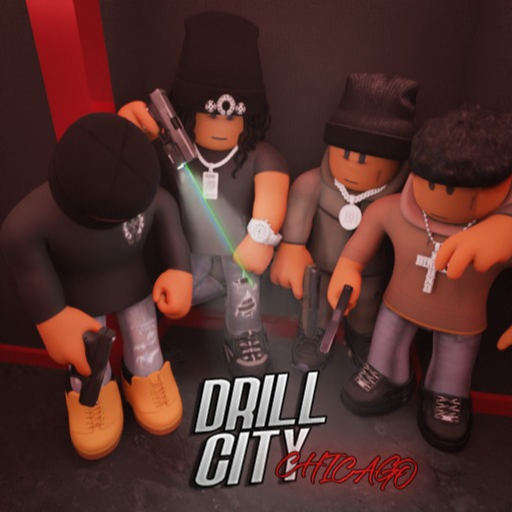
Mastering controls in Drill City Chicago matters as much as knowing a money method. The hood is dense, fights are close, and the developers literally tell you to look up for location icons. This page covers PC and mobile habits after the mobile controls fix, plus phone apps, driving, and combat QoL. Pair it with Getting Started and the Players Hub.
Roblox default binds still apply underneath — always check Esc → Settings if a patch remaps something. Server size is 25, so input clarity beats fancy keyspam.
Universal tip: look up
Before you memorize every alley, tilt the camera skyward. Location icons mark jobs, bank, plug, and other hubs. New players who ignore this tip waste their first hour. It works the same on PC mouse and mobile drag.
PC controls (practical layout)
| Action | Typical input | Hood tip |
|---|---|---|
| Move | WASD | Strafe peeks at vault doors |
| Sprint | Shift | Save stamina for exits |
| Jump | Space | Break ankle angles carefully |
| Camera | Mouse | Look up for icons often |
| Interact / prompts | E (or on-screen) | Boxes, pots, C4, ATMs |
| Phone | Bound key / UI button | Jobs, apps, social |
| Fire | LMB | Tap with M1911; control Drum sprays |
| Aim / ADS | RMB if enabled | Essential for A/S tier guns |
| Reload | R | Behind cover after gun-sound update awareness |
| Vehicle enter | E / proximity | Confirm keys after safe-key fix |
Rebind only after you finish one clean Box Job and one inventory manage session so muscle memory forms on defaults first.
Mobile controls
A dedicated mobile controls fix shipped in the update wave summarized on Patch Notes. If your thumb layout feels broken after a Roblox client update, rejoin once and reset touch UI.
Mobile habits that win:
- Increase camera sensitivity slowly until flicks track alley peeks without overspin.
- Keep sprint and fire on opposite thumbs.
- Open the phone with a deliberate tap — mis-taps during vault looting drop duffels into comedy clips.
- Use auto-rotate lock on your device so sky-icon checks do not flip the whole UI.
- Park the interact button where you can mash box deliveries without covering the fire button.
Drive with short steering corrections; hood streets punish full-lock spins into parked cars.
Phone apps & UI
Your phone is the social and systems hub: jobs, navigation helpers, and community-facing tools. Learn which app opens which loop before you chase gunfire. When promo codes eventually appear, redeem panels often live near phone/settings — practice opening the phone under zero stress so you can do it mid-session.
Driving & car keys
Cars turn tomato water runs and bank extracts into real routes. After the car keys in safe fix:
- Store keys where the game expects them
- Verify you can retrieve a vehicle before a heist
- Do not leave the only ride blocking the vault exit
- Use vehicles to break line of sight, not to emote in traffic
Combat control tips by loadout
Knife / C-tier: Slash only as panic; prioritize finding a gun (Weapons).
M1911: Tap fire, ADS doorframes, reload disciplined.
Michael Draco: Aggressive peeks; do not empty the brace mag blind.
S&W Drum: Controlled bursts; reload behind hard cover — drum reloads in the open are free kills.
Audio counts after gun sound polish. Headphones help more than another sensitivity slider.
Money-loop inputs worth practicing
- Box pickup / deliver prompts without dropping sprint into walls
- ATM Blank Card swipe → immediate bank path
- C4 plant confirmation without canceling
- Fries soil/water/seed interactions on free planters (Fries Method)
- Tomato pot / crate prompts in the garage (Tomato Farming)
Smooth prompts print cash; clumsy prompts print deaths.
Accessibility & QoL
- Lower graphics if mobile heat throttles touch sampling mid-fight
- Enable Roblox performance stats briefly to spot frame dips at the bank
- Take breaks — the ~20 minute AFK kick also reminds you not to literal AFK on contested stoves
Related
- Jobs
- Bank Robbery
- Scripts — executors do not fix bad aim
- Updates — control patches land here first
Dial sensitivity, learn the phone, look at the sky, and every other Drill City Chicago guide suddenly takes half as long to execute.
Frequently Asked Questions
Quick answers for codes, money, jobs, and street survival.
How do I find locations quickly?
Look up at the sky for location icons — an official tip that works on both PC and mobile.
Did mobile controls get fixed?
Yes. A mobile controls fix shipped in the post-launch update wave. Rejoin and reset touch UI if something still feels off.
Where is the phone on PC?
Use the on-screen phone button or your keybind from settings. Learn it before you need apps mid-heist.
Why can’t I use my car?
Check the car-keys-in-safe flow after that bugfix — retrieve stored keys before you rely on a vehicle for extracts.